Free Starter Credits
Real renders on arrival — no email, no card, no watermark on the download.
Official site →Topless Mode
The mode to use for selfies and waist-up crops; strongest results on tight frames.
Official site →Full Nude Mode
Full-figure generation that stays proportional when the legs are actually in shot.
Official site →Full-Resolution Download
Output matches your source size and saves clean, with no forced share screen.
Official site →No-Sign-Up Access
Nothing to register, nothing to cancel, no profile tracking your history.
Official site →One-Off Credit Packs
Pay for volume only when you want it — no auto-renew sitting on your card.
Official site →AI Undresser App: Photo In, Nude Render Out
aiundresserapp.space is a browser-based AI undresser. You drop in a photo of a person — a selfie, a mirror shot, a beach picture, a screenshot pulled off Instagram — and the model rebuilds the body underneath the clothes and hands back a topless or fully nude version. No app store, no install, no account wall. Open the page, upload, wait a few seconds, download.
The whole point is speed and honesty. There is no queue to pay your way out of, no watermarked teaser that only unlocks after you add a card, and no five-field onboarding form. New visitors get free credits on arrival. You can burn them on your own photos before deciding whether the output is good enough to pay for — which, for a tool that lives or dies on how believable the render looks, is the only fair way to sell it.
It works on the photos people actually have. Phone cameras, compressed JPEGs, group shots you cropped down, mild motion blur, indoor lighting that is not flattering. You do not need a studio portrait or a full-body shot in tight clothing. The model does better with a clear face and a visible torso, but it will still produce something usable from a waist-up selfie in a hoodie.
Everything runs in the browser tab. That means the same tool on a work laptop, an old Android and a new iPhone, with no storage eaten and no update prompt. If you can upload a file, you can use it.
Free to try, no sign-up: your first renders run on free credits. No email, no card, no verification step. Come back tomorrow and the tool is still there, still free to open.
How It Works — Three Steps, About Fifteen Seconds
There is no learning curve. The interface is one page with one job, and the flow is the same whether you are on desktop or a phone.
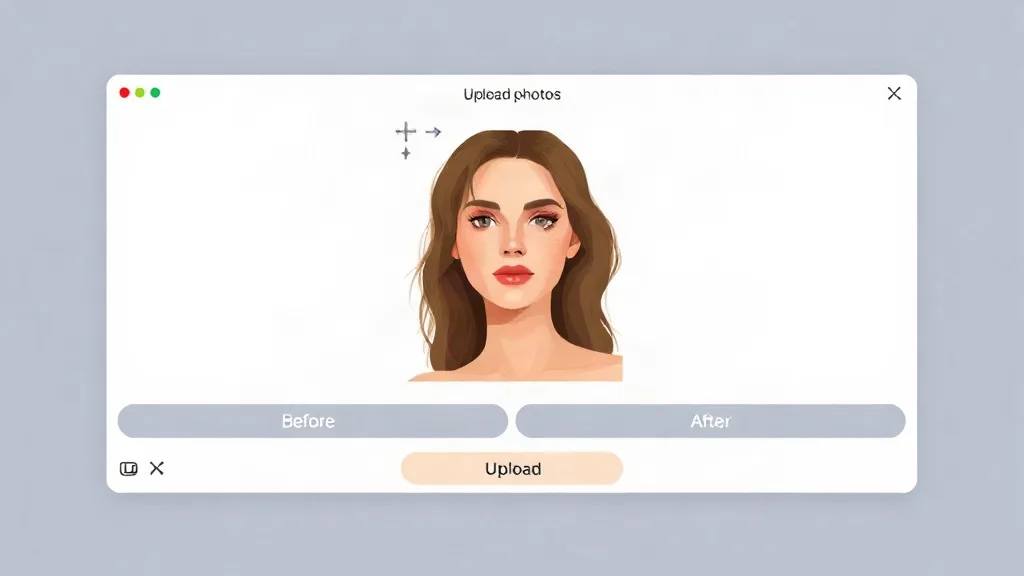
Step 1 — Upload Any Photo
Tap the upload area or drag a file straight onto it. JPG, PNG and WebP all work; phone screenshots and downloaded Instagram images are fine. The tool auto-detects the body and frames the crop for you, so you do not have to trim the photo first. If you want a specific result — topless versus full nude — pick the mode before you hit generate. One photo, one mode, one run.
Step 2 — The AI Does the Rest
This is where the work happens, and it is not a filter. The model segments the image, maps the pose and body landmarks, estimates proportions from the visible skin and silhouette, then generates the uncovered regions and blends them back into the original photo — lighting, skin tone, grain and all. Processing takes a few seconds on a normal connection. You watch a progress state, then the result appears beside your original.
Step 3 — Download and Keep It
Save the render at full resolution. No watermark on paid output, no forced share screen, no gallery you have to log into. The file lands in your downloads folder and stays yours. Run the same photo again in a different mode if you want options, or move on to the next picture — the credits meter tells you where you stand.
What You Get Without Paying
Free credits on arrival, and they are real credits — not a locked demo. Enough to run several photos through the full pipeline and download the results at full size. That is the honest test of a tool like this: does it hold up on your face, your lighting, your body type? A sample gallery cannot answer that. Your own upload can.
- Free renders on sign-up-free access — no email capture before you see output.
- Full-resolution downloads on every run, free or paid.
- Both modes unlocked — topless and full nude, no paywall between them.
- No watermark on the file you save.
- No subscription required to keep using the tool.
When the free credits run out you top up with a credit pack. No auto-renewing plan sitting on your card, no cancellation maze. Buy what you use, or walk away and come back later — packs do not expire on a timer.
The Two Modes, and Which One to Pick
Topless Mode
Built for waist-up and torso shots. It removes tops, bras, swimwear straps and dresses and generates a bare chest that matches the visible skin tone. This is the mode most people want for selfies and cropped photos, and it is the one that holds up best on tight crops.
Full Nude Mode
Built for full-body photos where the legs and hips are in frame. It strips everything and generates the full figure. It needs more of the body visible to stay proportional — a full-body shot in jeans and a t-shirt is the ideal input, and a headshot fed into this mode will stretch the guesswork.
Matching Mode to Crop
Simple rule: if the legs are in the photo, use full nude. If the frame stops at the waist or hips, use topless. Feeding a torso shot into full nude produces a compressed, off-proportion lower body; feeding a full-body shot into topless leaves the jeans on. One glance at your photo settles it.
Built For Output That Holds Up
High-Resolution, Photoreal Renders
Output matches the source resolution instead of dumping a 512px thumbnail. Skin texture, shadow direction and colour temperature carry across from the original photo, which is what stops a render looking like a sticker pasted onto a body. Pores, moles, freckles and tattoos on visible skin stay put, and generated areas inherit the same grain as the rest of the frame — no tell-tale smooth patch.
Fast Enough To Use Casually
Most renders finish in under fifteen seconds. That matters more than it sounds: when a run is cheap and quick you experiment. Different mode, different crop, different photo. Slow tools make you hoard credits and settle for the first output. This one does not.
Private By Default
Uploads travel over an encrypted connection and the generated file is served straight back to you. Nothing is posted publicly, nothing is tagged, nothing needs a profile. You are not building a gallery for strangers to browse — you are getting a file and leaving.
No Account, No History Tied To You
No sign-up means no profile to hang a history on. The tool does not need your name, your email or a social login to run. Photos are transient working data, not a library it curates on your behalf. Delete the download and there is nothing left pointing back at you.
Works On Any Device
Desktop, Android, iPhone, tablet — it is a web page, so the browser is the app. No APK to sideload, no update prompt, no storage gone from your phone. The layout adapts to a small screen and the upload button is thumb-sized.
Tips For Better Renders
The model is good, not psychic. A few habits push output from decent to convincing.
- Use a sharp original. Blur and heavy compression force the AI to invent detail, and invented detail is where artefacts show. A clean 1080p phone photo beats a compressed screenshot every time.
- Pick photos with visible skin. Bare arms, a visible neckline and an uncovered midriff give the model real skin tone and texture to sample. A turtleneck in dim light is the hardest case there is.
- Match the mode to the crop. Full nude on a full-body shot, topless on a torso shot. See above.
- Front-facing or three-quarter poses win. Twisted poses and crossed arms hide the landmarks the model needs.
- Avoid heavy beauty filters. Filters flatten skin texture and shift colour; the render inherits the smoothing and looks plastic.
- Re-run instead of settling. Generation has variance. If a result looks off, run the same photo again — the second pass is often cleaner.
- Check the hands and hairline. Those are the two places generation slips. If they are clean, the rest usually is too.
One photo per run. Uploading a group shot renders one person, usually the largest face in frame. Crop to the person you want first — it is faster than fighting the auto-detect.
How To Judge A Render In Five Seconds
Look at the join, not the middle. The generated area is designed to be the obvious part; the seam where it meets real skin is where quality shows. Check that the shadow under the collarbone matches the light source, that the skin tone does not jump a shade at the edge, and that the grain is continuous across the boundary.
Then check anatomy. Two arms, a sane ribcage curve, a waist that lines up with the hips below it. If the proportions read as plausible at a glance, the render is good. If something feels off, you are usually looking at a bad input crop rather than a bad model — go back to the photo, not the settings.
How It Compares
Most tools in this category hide the same three things: the free tier is watermarked, the credits expire, and the subscription auto-renews. Here is the honest comparison against the names you will see in search results.
| Tool | Free trial | Sign-up needed | Watermark | Billing |
|---|---|---|---|---|
| aiundresserapp.space | Free credits on arrival | No | No | One-off credit packs |
| undress.app | Limited, account required | Yes | On free tier | Subscription |
| undressai.ink | Limited daily runs | Yes | Sometimes | Subscription |
| Generic APK clones | Varies | Yes | Often | In-app purchase |
Subscription billing is the real difference. A monthly plan makes sense if you use an undresser daily; it is dead weight if you run ten photos once and forget the tool for two months. Credit packs scale to actual use, and there is no cancellation step to remember.
What It Costs
Free to start, cheap to continue. Credits are sold in packs and are not tied to a billing cycle, so a pack bought today still works next month. The free allowance is enough to judge quality on your own photos; paid packs are for volume — batch renders, retries, a folder you want done properly.
- Free: starter credits on arrival, no card, full-resolution output.
- Credit packs: one-off purchase, no auto-renew, no cancellation.
- No feature gating: paid credits buy more runs, not better modes. The model is the same one free users get.
Three Things People Get Wrong
Uploading the Wrong Kind of Photo
Dark, blurry, heavily filtered, or a full-body shot where the person occupies a tenth of the frame. Crop in, brighten it, try again. The tool cannot recover detail that was never captured.
Expecting a Perfect Clone
No undress AI produces a forensic reconstruction — it generates a plausible body, not the actual one. Proportions are estimated. A render can differ from reality the way a good drawing would. That is the technology, not a bug in this particular tool.
Landing On A Clone Site
This category is full of near-identical domains, ad-wrapped mirrors and APK re-uploads. Bookmark the real URL. If a site asks you to install something before it will process a photo, you are on the wrong page.
Who Actually Uses This
Curiosity is the entry point — people run their own photo first, then a partner's, then a celebrity or a favourite creator. From there it splits into three habits: creators checking how a render would look before posting, people building reference images, and people who simply like watching the trick work. All three are served by the same thing: a fast, free, no-sign-up run that does not ask for anything before it delivers.
If you have a photo on your phone right now, you are about thirty seconds from a result.
Is the AI undresser app free?
Do I need to create an account?
Does it store my photos?
How good is the quality?
What is the difference between topless and full nude mode?
Is there a limit on how many photos I can run?
Is using an undress AI legal?
Will the render look exactly like the real person?
Why does my render look wrong?
Does it work on a phone?
Are there hidden fees or subscription traps?
How do I know I am on the real site?
Start With The Photo Already On Your Phone
No install, no account, no card. Open the uploader, drop a photo in, pick a mode, and let the model work. Free credits are waiting, the download is unlocked, and the file is yours to keep. If the result is not right, adjust the photo rather than the tool — sharper, closer, more skin — and run it again.
Bookmark the page before you close it. The tool is quicker to reach than typing the query a second time, and the free allowance is there whenever you want to test another photo.